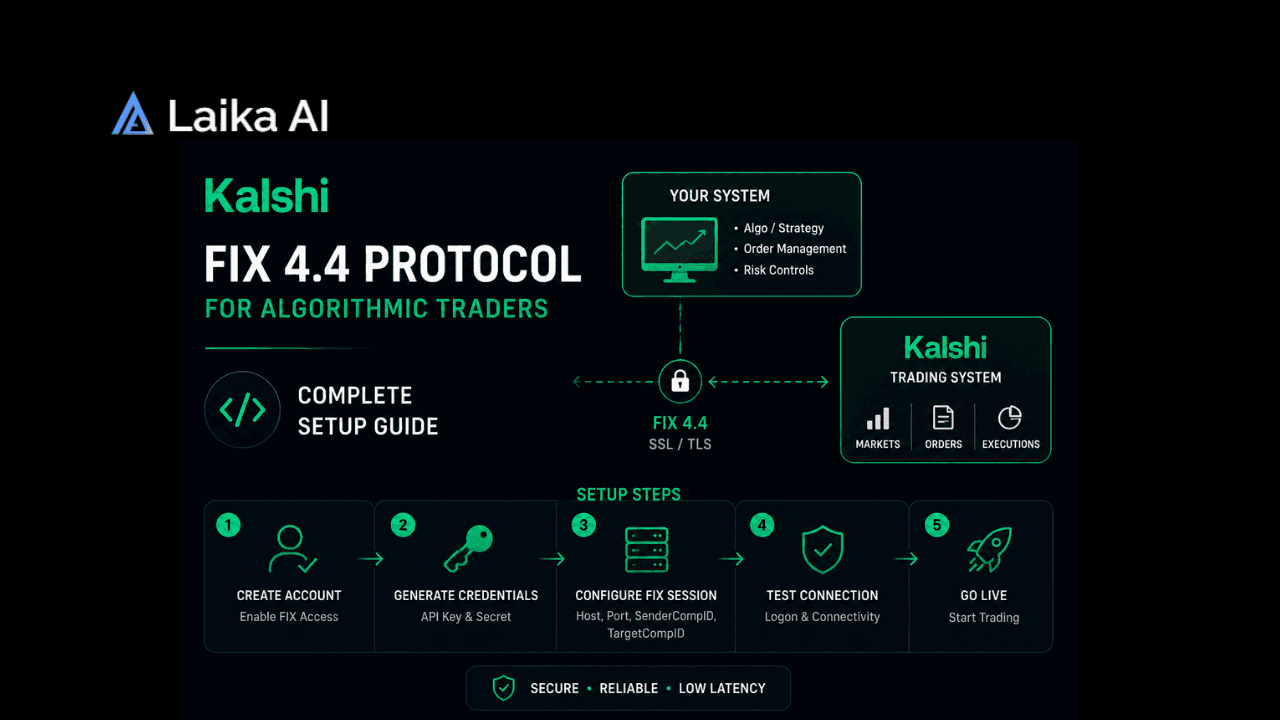
A Kalshi fix protocol connection is not something most developers need. It's built for the same use case that FIX serves at major stock and futures exchanges: shaving milliseconds off order execution for strategies where milliseconds actually matter.
If you're building a bot that checks prices once a minute, scrapes odds, or runs a simple threshold strategy, none of this applies to you. REST and WebSocket will do everything you need, faster to build and easier to debug. This guide is for the smaller group of traders running genuinely latency sensitive, high frequency style strategies who need to know exactly what a Kalshi fix protocol setup offers and how to get connected. For a broader look at Kalshi's platform before diving into protocol details, How Does Kalshi Work? A Complete Beginner's Guide covers the basics this piece assumes you already know.
What Is Kalshi's FIX Protocol, and Do You Actually Need It?
Understanding the Kalshi fix protocol starts with FIX itself, short for Financial Information eXchange, the messaging standard most of Wall Street already runs on. Kalshi implements version 4.4 of it, the same version widely used across stock and futures exchanges, which means firms with existing FIX infrastructure can often plug into Kalshi with minimal new engineering work.
One developer guide framed the decision well: relevant for HFT style strategies, irrelevant for anyone building data tools or bots that operate on minute level intervals. That's a fair line to draw. FIX buys you speed and a persistent, stateful connection. It costs you setup complexity that REST simply doesn't have. If your edge comes from research, not milliseconds, you won't feel the difference.
Kalshi's Three Connection Methods
Kalshi actually offers three ways in, and picking the wrong one for your Kalshi api integration wastes real engineering time. REST covers general market data, order placement, and account management over plain HTTPS, the same request-response pattern most web developers already know. WebSocket adds real time streaming for order book deltas, ticker updates, trades, and fills, useful for anything that needs to react as prices move rather than polling for them. FIX sits above both, purpose built for persistent, low latency order flow.
A Kalshi api integration built entirely on REST typically takes a couple of weeks for a developer already comfortable with HTTP APIs, according to multiple integration guides. That's a fraction of the time and specialized knowledge FIX setup demands. Traders exploring cross platform strategies rather than pure speed plays might find more value starting elsewhere; Manual vs. Automated Arbitrage on Polymarket: What You Actually Need to Get Started covers a different kind of edge entirely, one built on price discrepancies rather than raw execution speed.
Kalshi WebSocket API vs FIX
Here's where the distinction actually matters day to day. A Kalshi websocket api connection is asynchronous and event driven. You subscribe to channels, and Kalshi pushes updates to you as they happen, whether that's an order book change, a new trade, or a fill on your own order. It's genuinely fast for most purposes, and it's a fraction of the engineering effort FIX requires.
FIX goes further specifically on the execution side. Where WebSocket is largely built for consuming data, FIX supports dedicated sessions for order entry, drop copy, market data, and post trade workflows, each running as its own connection type with its own message flow. That's overkill for a strategy checking prices every few seconds. It's the whole point if you're trying to beat other traders to a stale quote by a few milliseconds. For traders building toward that kind of competitive edge, Polymarket vs Kalshi Arbitrage in 2026: How to Find Opportunities, Calculate Profit and Execute covers a related speed sensitive strategy that runs across both platforms rather than staying inside Kalshi alone.
Authentication: RSA Signing Explained
Every private request to Kalshi's API, regardless of which connection method you're using, needs to be signed. You generate an RSA key pair in your Kalshi account settings, upload the public key, and keep the private key somewhere that isn't your source code repository.
Here's a wrinkle worth flagging directly, since older guides get this wrong. Some earlier tutorials describe a login endpoint that returns a session token valid for 30 minutes, refreshed periodically. More recent, detailed documentation describes something different: no login step at all, no session token, just a fresh RSA-PSS signature on every single request. You concatenate a millisecond timestamp, the HTTP method, and the request path, sign that string with your private key using PSS padding and SHA-256, then attach three headers, Kalshi-ACCESS-KEY, Kalshi-ACCESS-TIMESTAMP, and Kalshi-ACCESS-SIGNATURE. No token to refresh, no login flow to babysit. If you're following an older guide and it mentions a session token, treat that as a sign the material may be describing a previous version of the API rather than what's live today.
Kalshi's Kalshi rsa authentication model, once implemented correctly, tends to be more predictable to operate long term than login based systems, precisely because there's no expiring credential sitting in the background waiting to break your bot at 3am. Getting the signature construction wrong the first time is common, though. Wrong timestamp format, a path that still includes query parameters, a lowercased HTTP method where it should be uppercase, any of those will get you a 401 with essentially no explanation. Kalshi's own developer documentation, at trading-api.readme.io, is the authoritative source for exact header names and signing requirements, and it's worth checking directly rather than trusting a secondhand summary, including this one, for anything security critical.
Setting Up Kalshi FIX 4.4
Assuming you've decided FIX genuinely fits your strategy, the setup itself follows a familiar pattern if you've worked with FIX at any other exchange. You'll need a FIX engine, meaning software that manages the session, handles sequence numbers, and translates your application logic into properly formatted FIX messages. Building one from scratch is a real undertaking. Most traders don't.
Instead, start with an existing reference implementation. The open source Neural SDK, a Python framework built specifically for Kalshi, includes FIX protocol support with order execution latency in the 5 to 10 millisecond range, according to its own documentation. That's a genuinely useful starting point rather than a from scratch build, and it saves weeks of engineering time spent just getting session management right. The project lives at github.com/IntelIP/Neural, and reviewing its FIX implementation before writing your own is a reasonable way to avoid reinventing a wheel that already works.
A rough setup sequence looks like this
- Confirm you actually need FIX rather than WebSocket, since most strategies don't.
- Generate and register your RSA key pair through Kalshi's account settings.
- Choose a FIX engine, whether that's Neural SDK's implementation or a commercial engine you already run for other exchanges.
- Establish the FIX session against Kalshi's endpoint and confirm sequence number handling works correctly before trading with real money.
- Test extensively in Kalshi's demo environment, which mirrors production endpoints with fake money, before ever touching a live account.
Traders comparing this level of infrastructure investment against other approaches to systematic prediction market trading might find How to Trade Prediction Markets Like a Hedge Fund useful context, since not every professional strategy actually requires this much plumbing to be profitable.
Latency and Infrastructure
Where your code physically runs matters more for FIX than for almost anything else in this guide. A home internet connection typically adds somewhere around 100 milliseconds of round trip latency to Kalshi's servers. A specialized VPS positioned physically close to Kalshi's infrastructure can cut that down to roughly 1 millisecond.
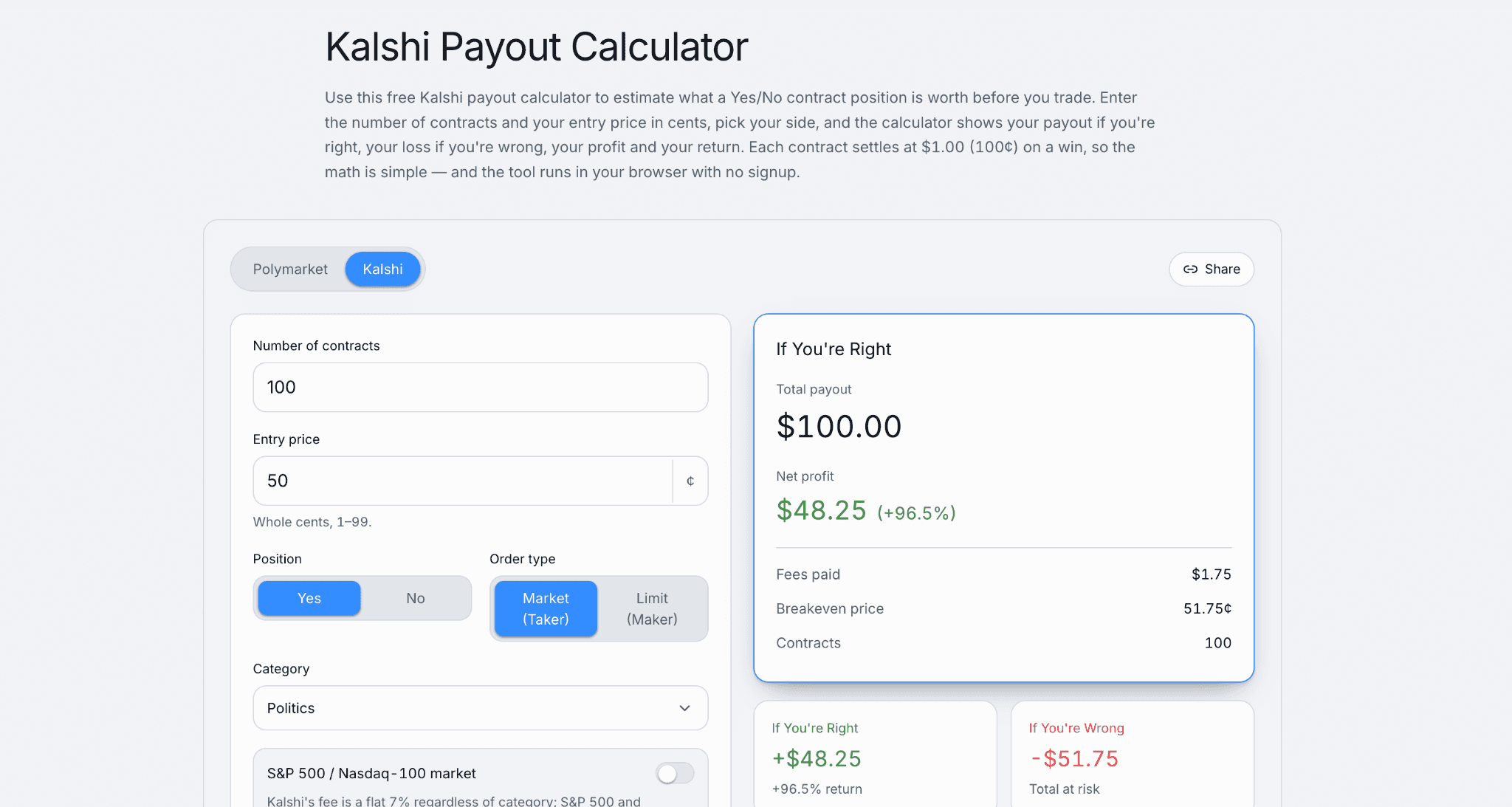
That gap is the entire reason FIX exists as a product in the first place. If your strategy doesn't care about the difference between a 100 millisecond fill and a 1 millisecond fill, none of this infrastructure investment pays for itself. If it does, and for genuine HFT style strategies it usually does, the VPS cost is a rounding error next to what a slow fill costs you on a fast moving market. Kalshi charges a flat 2 cent per contract trading fee regardless of which connection method you use, and API access itself carries no separate charge, so the infrastructure spend here is purely about execution speed, not access cost. For traders weighing whether this kind of institutional grade setup is worth pursuing given Kalshi's newer margin products too, Kalshi Margin Trading 2026: How Kinetic Markets and Institutional Accounts Work covers a related piece of the platform's institutional infrastructure.
Where to Find Kalshi's API Documentation
For the most current Kalshi api documentation, trading-api.readme.io covers REST endpoints, WebSocket channels, and FIX specifications in one place, alongside a demo environment for safe testing before going live. It's genuinely the only source worth trusting for exact field names, endpoint paths, and authentication requirements, since third party guides, including detailed ones, occasionally describe an older version of the API without realizing it's changed.
Beyond the official docs, several open source projects offer working reference implementations that are faster to learn from than raw documentation alone. Top 10 Free GitHub Repos for Polymarket Trading in 2026 covers a comparable set of tools on the Polymarket side, useful if you're building strategies that touch both platforms rather than staying inside Kalshi exclusively.
Does Kalshi Support Algorithmic Trading?
Yes, comprehensively. Kalshi algorithmic trading is fully supported across all three connection methods, and nothing about the platform's structure discourages automation the way some retail focused products do. The API is free to use. You only pay the same 2 cent per contract fee a manual trader pays.
That said, building a genuinely profitable automated strategy is a separate problem from building a working connection. Getting REST or WebSocket integrated is a solved problem you can finish in an afternoon with decent documentation. Getting FIX integrated correctly, with proper sequence recovery and session management, takes real engineering time. And none of that guarantees an edge once you're actually trading, since plenty of well built bots still lose money on markets that simply don't have exploitable inefficiencies. Some traders have started experimenting with AI assisted research layered on top of these connections rather than pure speed plays; How to Use Claude for Polymarket Trading in 2026 covers that angle from the Polymarket side, and similar approaches are increasingly showing up in Kalshi focused tooling too.
Who Actually Needs Kalshi's Low Latency FIX Setup?
Honestly, not many people read this. Kalshi low latency trading through FIX makes sense for firms with existing institutional infrastructure looking to add Kalshi as another venue, traders running genuinely time sensitive arbitrage across multiple platforms, or anyone whose strategy depends on being first to act on a stale quote before it corrects.
Everyone else is better served by REST for the basics and WebSocket once you need real time data. That's not a knock on FIX. It's just a mismatch between what most retail strategies actually require and what FIX was built to solve. Kalshi Prediction Market: 7 Strategies That Work in 2026 is a better starting point than this guide if you're still building your first strategy rather than optimizing an already profitable one for speed.
Build the strategy first. Worry about milliseconds later, if it turns out you even need to.
FAQs
What is Kalshi's FIX protocol?
A Kalshi fix protocol connection is an implementation of FIX 4.4, the same messaging standard used across major stock and futures exchanges, built specifically for institutional grade, low latency order execution. It sits alongside Kalshi's REST and WebSocket APIs as a third connection option, aimed at high frequency trading style strategies rather than general purpose automation.
Where do I find Kalshi's API documentation?
The full Kalshi api documentation lives at trading-api.readme.io, covering REST endpoints, WebSocket channels, authentication requirements, and FIX specifications in one place. It includes a demo environment with the same endpoints as production, letting developers test integrations safely before trading with real funds.
How does Kalshi's WebSocket API differ from FIX?
Kalshi's WebSocket API pushes real time updates like order book changes, trades, and fills to subscribed clients, and it's straightforward to integrate compared to FIX. FIX 4.4 goes further on the execution side, offering dedicated sessions for order entry, drop copy, market data, and post trade workflows, aimed specifically at traders who need the lowest possible latency rather than just real time visibility.
How does Kalshi's RSA authentication work?
Kalshi rsa authentication requires every private API request to be signed using an RSA key pair generated in your account settings. Current documentation describes signing a concatenation of a millisecond timestamp, HTTP method, and request path using RSA-PSS with SHA-256, then attaching the result across three headers. Some older guides describe a login flow producing a 30 minute session token, which appears to reflect an earlier version of the API rather than the current signing based model.
Does Kalshi support algorithmic trading?
Yes. Kalshi fully supports algorithmic trading through its REST, WebSocket, and FIX APIs, all free to access, with traders paying only the standard 2 cent per contract trading fee regardless of connection method. The platform places no structural barriers on automation beyond the same authentication and rate limit requirements every developer has to handle.
Who actually needs Kalshi's low latency FIX setup?
Kalshi's FIX setup is built for institutional trading desks, firms with existing FIX infrastructure at other exchanges, and traders running genuinely time sensitive, high frequency style strategies. Developers building bots that operate on minute level intervals, or anything short of true speed sensitive execution, are generally better served by Kalshi's REST or WebSocket APIs instead.