Figuring out how to withdraw from Kalshi shouldn't require reading five separate help articles just to compare your options. That's actually the situation right now: Kalshi's own help center splits bank transfers, debit cards, PayPal, Venmo, and crypto into five different pages, none of which tell you how they stack up against each other. This guide puts all of it in one place.
Quick answer first, since most people just want this part: debit card, PayPal, Venmo, and crypto all land in your account within about 30 minutes. Bank transfer, the classic ACH method, is free but takes 3 to 5 business days. That's the entire tradeoff driving every Kalshi withdrawal decision. Speed costs you nothing extra in Kalshi fees either way, so the real question is just how patient you are.
Everything below covers each Kalshi withdrawal method in detail, a side-by-side comparison table, why your money sometimes takes longer than expected, and what changes if you're withdrawing from outside the US. Whether you're moving your first payout or you've done this a dozen times already, the full list of Kalshi withdrawal methods and how to withdraw from Kalshi correctly the first time is covered step by step below.
The Basic Withdrawal Steps
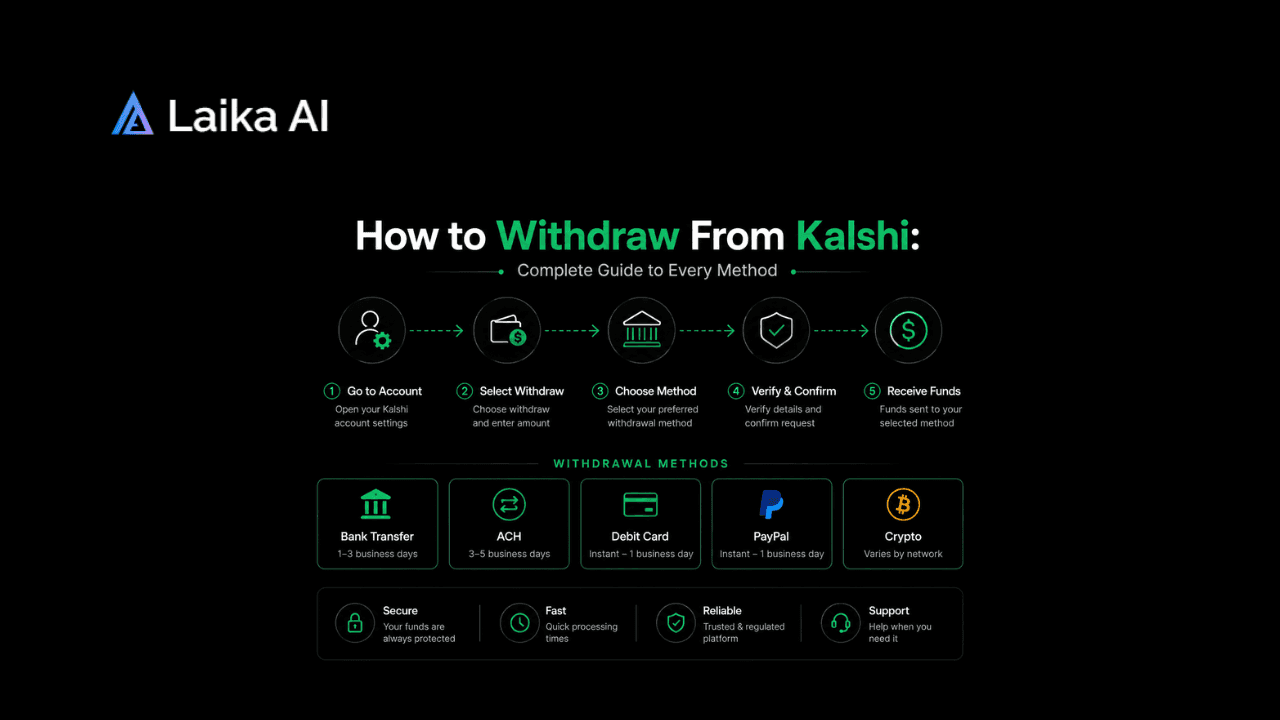
Every method runs through the same starting flow. Learn this once and the rest is just picking which account or wallet the money lands in.
- Log into your Kalshi account and open the Transfers tab.
- Click "Withdraw from Kalshi."
- Choose your payout method: bank transfer, debit card, PayPal, Venmo, crypto, or wire.
- Select the destination account or wallet. First-time destinations sometimes need a quick verification step.
- Enter the amount. Kalshi shows you any applicable fees and the exact amount you'll actually receive before you confirm.
- Review the details and confirm. You'll get a transaction record you can track from your account history.
One thing trips people up here: only your settled, free balance is available to withdraw. Money still tied up in an open position stays locked until that market resolves, even if you're confident it's going your way. If any of this terminology, settled balance, open positions, resolution, still feels unfamiliar, How Does Kalshi Work? A Complete Beginner's Guide covers the fundamentals this withdrawal process assumes you already know.
Another small thing worth knowing before you submit anything: Kalshi may require two-factor authentication or send a confirmation email for larger withdrawals, especially the first time you use a new destination account. That's normal, not a red flag, and it's part of why a brand-new bank account or card can take slightly longer on its very first withdrawal than every one after it.
How to Withdraw From Kalshi by Method
Not every method behaves the same way, and picking the wrong one for your situation costs you time you didn't need to lose.
Bank Transfer (ACH)
The default choice for most US users, and the cheapest one. ACH withdrawals carry no fee from Kalshi, and most banks don't charge to receive incoming ACH transfers either. The catch is speed: settlement typically takes 3 to 5 business days, since Kalshi has to initiate the transfer and then your bank has to process it on its own timeline. If you're specifically comparing Kalshi withdrawal time across methods before choosing one, this is consistently the slowest option on the list, though also the one with the fewest moving parts to go wrong.
Debit Card
The fastest common option. A debit card withdrawal usually lands within about 30 minutes. Kalshi itself doesn't charge a fee for this, though your card network occasionally applies its own small surcharge, worth checking with your bank if you're moving a meaningful amount regularly.
PayPal
Generally quick, though reporting on exact timing varies more here than with other methods, somewhere between 30 minutes and 24 hours depending on account verification and PayPal's own processing on a given day. No Kalshi fee either way. PayPal withdrawals are limited to US users.
Venmo
Essentially the same profile as debit card: about 30 minutes, no Kalshi fee, US users only. If you already use Venmo daily, this is a genuinely convenient option rather than just a backup.
Crypto
Also typically around 30 minutes, though actual arrival time depends on which blockchain you're withdrawing to and how congested it is at that moment. Kalshi processes crypto through its partner Zero Hash, and while Kalshi itself doesn't charge an extra fee, network and blockchain fees can apply and get disclosed before you confirm. You'll need an existing crypto wallet capable of receiving the asset. This is one of only two methods available to international users, which matters more than it might seem at first glance.
Wire Transfer
Built for large payouts rather than everyday use. Wire transfers carry a $1,000 minimum and can involve fees depending on your bank, but they process quickly once initiated. Most retail traders never touch this option; it exists mainly for institutional-scale withdrawals.
Kalshi Withdrawal Time by Method
Seeing all six side by side makes the actual decision a lot easier than reading six separate paragraphs.
A quick note on why ACH specifically takes as long as it does: that delay isn't a Kalshi quirk, it's how the ACH network itself operates across the US banking system.
Kalshi Withdrawal Fees: What You'll Actually Pay
Here's the good news, stated plainly: Kalshi doesn't charge a withdrawal fee on any method. Not for ACH, not for debit cards, not for PayPal, Venmo, crypto, or wire. Every Kalshi withdrawal fee question ultimately traces back to a cost sitting outside Kalshi itself rather than a line item Kalshi adds.
That said, "no Kalshi fee" isn't the same as "always completely free." A few outside costs can show up depending on your method:
- Debit card networks occasionally apply their own small processing fee, separate from anything Kalshi controls.
- Crypto withdrawals can carry blockchain network fees, which fluctuate with network congestion and have nothing to do with Kalshi's pricing.
- Wire transfers sometimes involve a fee from your receiving bank, again outside Kalshi's control.
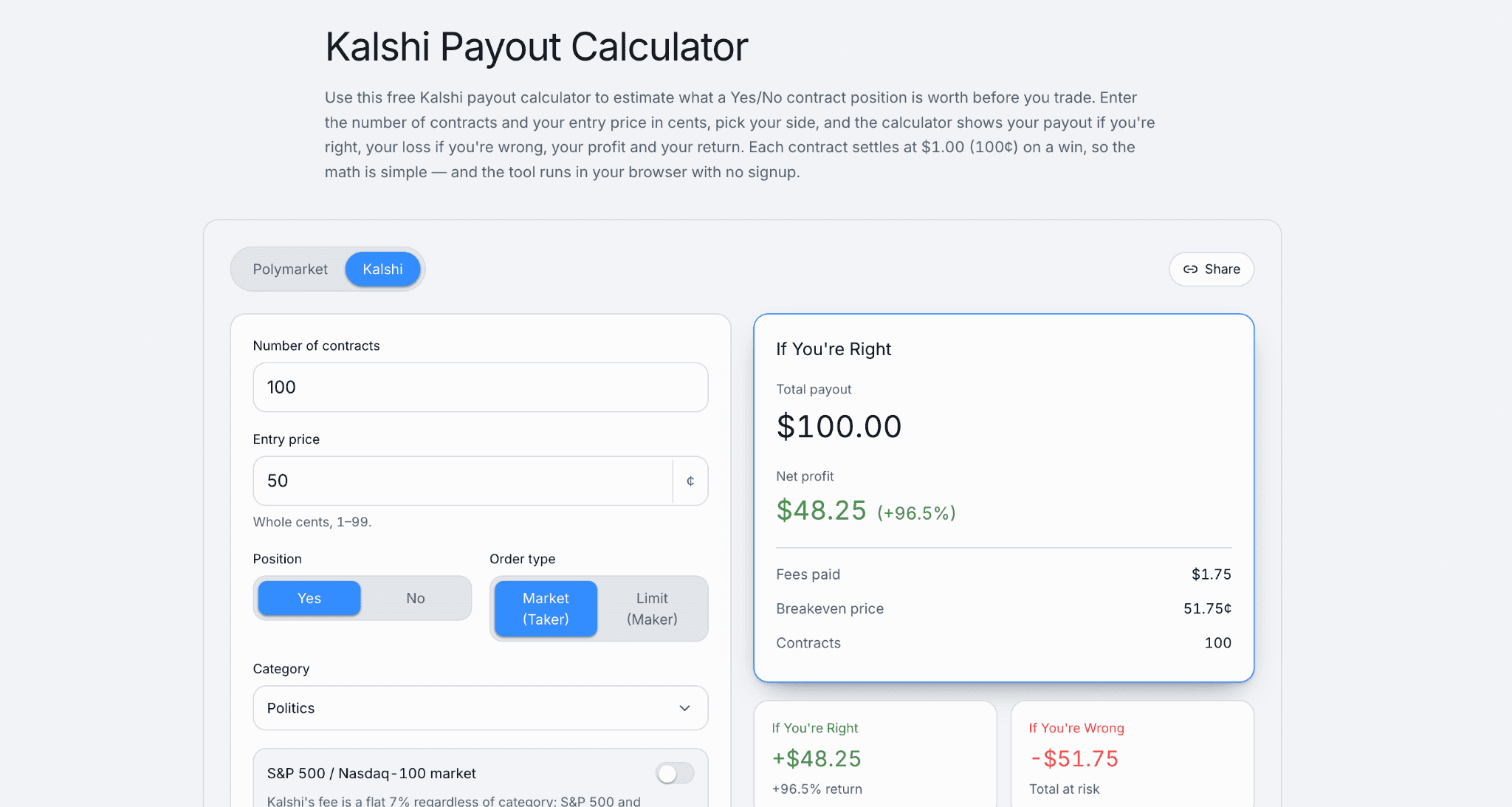
None of these Kalshi withdrawal fees are hidden exactly, they just don't originate from Kalshi. The actual trading fee, a flat 2 cents per contract, is a separate cost entirely and applies when you trade, not when you withdraw. Kalshi's own help center keeps the current, official fee and processing figures for every method, worth checking directly if anything here looks like it might have shifted since publishing.
If you're comparing overall cost of ownership across platforms rather than just this one piece, Prediction Market Fees in 2026: Kalshi vs Polymarket breaks down the full fee picture on both sides.Try the Kalshi Payout Calculator to estimate your returns before every trade and make more informed trading decisions.
Why Your Withdrawal Might Be Delayed: Security Holds
Sometimes a withdrawal that should take 30 minutes just sits there, and the usual explanation isn't a glitch, it's a deliberate fraud protection measure. Kalshi places short holds on newly deposited funds before they become withdrawal-eligible, specifically to guard against chargebacks and fraudulent deposits. Understanding how Kalshi withdrawal works at this level, meaning why a hold exists in the first place, makes the wait a lot less confusing when it happens to you.
ACH deposits carry the longest hold: funds typically become available roughly 2 business days after the ACH deposit itself settles, and that settlement already takes 3 to 5 business days on its own. Stack those together and money deposited via bank transfer can take the better part of a week before it's even eligible to leave again. PayPal, Venmo, and wire transfers generally don't carry the same holding period, which is part of why a fresh deposit funded by card or crypto tends to feel far more liquid day to day than one funded by ACH.
If your withdrawal is stuck well past its expected window and a security hold doesn't explain it, that's a different problem worth troubleshooting directly rather than just waiting it out. How to Fix Kalshi Withdrawal Issues Fast: Full Beginner Guide walks through the specific failure points, stuck transactions, verification snags, rejected destinations, and how to actually resolve each one.
International Users: What's Different
If you're withdrawing from outside the US, your options narrow considerably. Bank transfer, PayPal, Venmo, and Cash App are all restricted to US accounts only. International users are limited to two methods: debit card and crypto.
That's a meaningfully smaller menu, but it's not actually a bad one. Both remaining options are also the fastest methods available to anyone, US-based or not, so international users aren't stuck with a slower path, just a narrower one. It is worth checking your specific country's status directly before assuming access at all, since availability and withdrawal rules can differ from one country to the next. Kalshi Legal Countries: Where It Is Supported and Restricted in 2026 covers exactly which countries currently have access and which don't.
One more detail worth flagging plainly: Kalshi does not support Cash App for withdrawals under any circumstance, US-based or otherwise, even though Cash App can be used to fund an account in the first place. That asymmetry catches people off guard often enough that it's worth stating directly rather than assuming it's obvious.
Kalshi vs Polymarket Withdrawals
Worth a brief comparison if you're trading both platforms, since the withdrawal experience differs more than you'd expect from two prediction market sites. Kalshi, as a CFTC-regulated exchange, routes withdrawals through standard financial rails plus an optional crypto path through its partner. Polymarket, built natively on crypto rails, works differently end to end, and its own withdrawal process comes with a different set of common failure points. Polymarket Withdrawal Not Working? Complete Solution Guide covers that platform's specific troubleshooting steps if you're dealing with a stuck Polymarket transaction rather than a Kalshi one.
Beyond withdrawals specifically, the two platforms differ enough in structure, regulation, and market selection that picking one over the other deserves its own consideration. Kalshi vs Polymarket: Which Prediction Market Is Right for You? covers that broader decision if withdrawal speed is just one factor among several you're weighing.
The Bottom Line
Six ways to get your money out of Kalshi, and the actual decision comes down to just two things: how fast do you need it, and are you inside or outside the US. Debit cards, Venmo, PayPal, and crypto all move in roughly 30 minutes. ACH is free but slow. Wire transfer exists for large, occasional payouts. International accounts stick to debit card and crypto, which happen to be two of the fastest options anyway.
None of Kalshi's own fees should surprise you at this point, and any delay beyond the expected window is either a routine security hold or something worth actively troubleshooting rather than just waiting out.
FAQ
How long does a Kalshi withdrawal take?
Kalshi withdrawal time depends entirely on the method. Debit card, PayPal, Venmo, and crypto typically process within about 30 minutes, occasionally up to 24 hours for PayPal specifically. Bank transfer via ACH takes 3 to 5 business days, and wire transfers process quickly but are intended for large, institutional-scale amounts rather than everyday use.
Does Kalshi charge a withdrawal fee?
No. Kalshi withdrawal fees don't exist on any method, whether ACH, debit card, PayPal, Venmo, crypto, or wire. Outside costs can still apply depending on the method, like card network processing fees or blockchain network fees for crypto, but these come from third parties, not from Kalshi itself.
What withdrawal methods does Kalshi support?
Kalshi withdrawal methods include ACH bank transfer, debit card, PayPal, Venmo, cryptocurrency, and wire transfer for large amounts. Bank transfer, PayPal, and Venmo are limited to US users, while debit card and crypto are available to both US and international accounts. Cash App is not supported for withdrawals under any circumstance.
How does the Kalshi withdrawal process actually work?
Understanding how Kalshi withdrawal works starts with the Transfers tab: log in, select "Withdraw from Kalshi," choose your method, pick the destination account or wallet, enter the amount, and confirm. Only your settled, free balance is eligible; funds tied to open positions stay locked until that market resolves.
What are people saying about Kalshi withdrawals on Reddit?
Kalshi withdrawal reddit discussion tends to center on two recurring themes: confusion over why ACH takes several days when other methods are near-instant, and occasional posts about a withdrawal getting stuck past its expected window, usually traced back to a security hold or a verification issue on a new destination account rather than a platform-wide problem.
What do I do if my Kalshi withdrawal fails or has a problem?
A Kalshi withdrawal failed or Kalshi withdrawal problem situation is usually traceable to a specific, fixable cause rather than a lost-funds scenario, things like an unverified destination, a security hold still in effect, or a mismatched account detail. How to Fix Kalshi Withdrawal Issues Fast: Full Beginner Guide walks through each common failure point and the exact steps to resolve it