You won money on Kalshi. You want to withdraw it. The withdrawal shows "pending" for three days. Or it failed completely. Or Kalshi says your bank account needs verification again even though you already verified it last month.
You are not alone. Kalshi withdrawal issues spiked significantly throughout 2024 and into 2025 as the platform experienced massive growth. More users means more withdrawal requests. More requests means more bottlenecks in verification systems, ACH processing, and customer support.
Reddit threads are filled with frustrated users reporting withdrawal delays ranging from 2-10 business days when Kalshi promises 1-3 days. Some users report failed withdrawals with no clear explanation. Others face repeated identity verification requests that delay access to their funds.
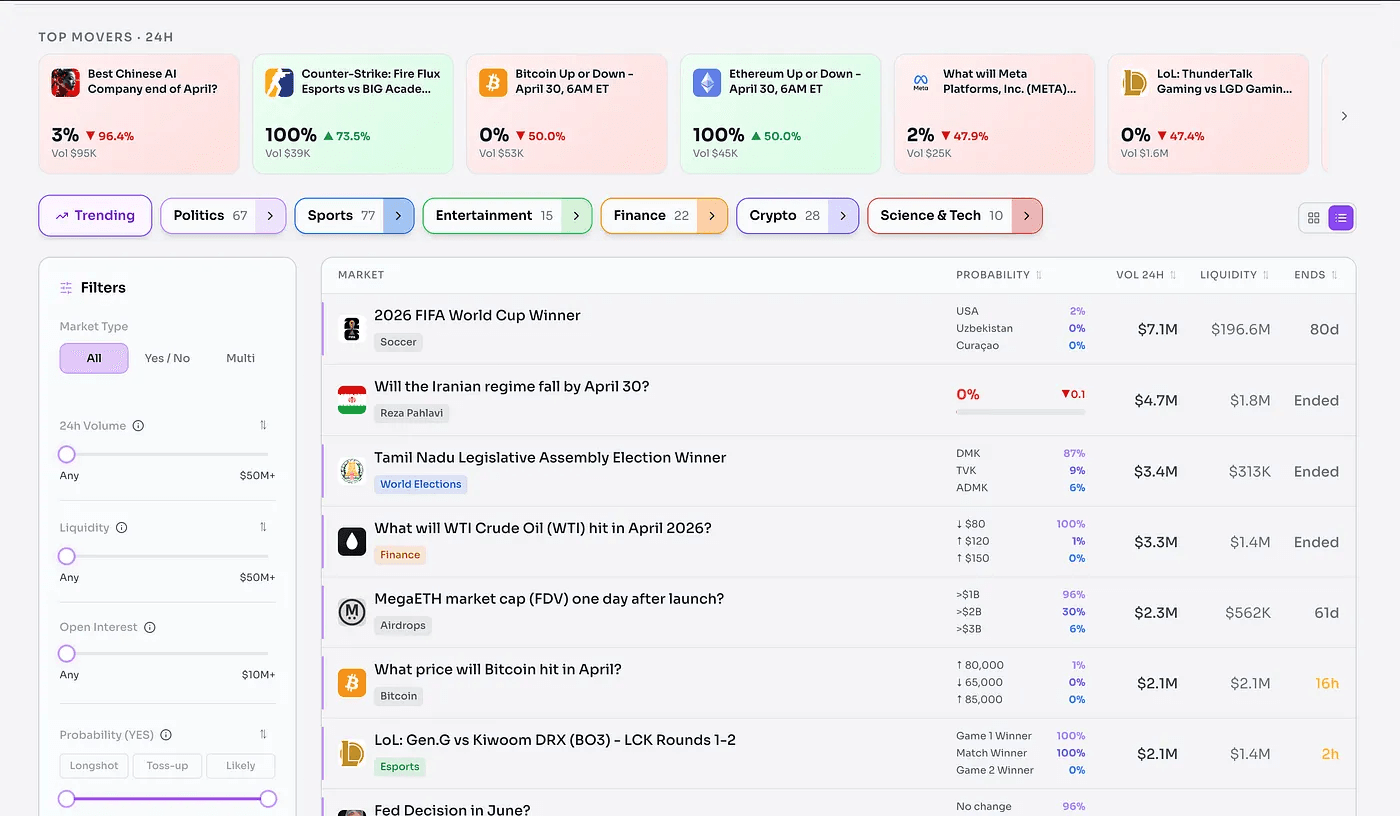
This comprehensive guide covers every common Kalshi withdrawal issue, why they happen, and exactly how to fix them. Whether your withdrawal is pending, failed, or you cannot even initiate one due to verification problems, the solutions are here.If you’ve spent any serious time on Kalshi, you already know the frustration. The platform shows you several probabilities but tells you almost nothing about what’s driving it. Who made the last big trade? What news just shifted the odds? Which markets are quietly moving before anyone notices?
What Is Kalshi Withdrawal System?
Kalshi operates as a CFTC-regulated prediction market exchange where users can trade on event outcomes. When you win positions, profits accumulate in your Kalshi account balance. Withdrawing those funds back to your bank account requires going through Kalshi's withdrawal system.
How Kalshi Withdrawals Work
The withdrawal process follows this flow:
- Initiate withdrawal through Kalshi website or mobile app
- Kalshi verifies your identity and bank account details
- Compliance checks run automatically (AML/KYC requirements)
- ACH transfer initiates to your linked bank account
- Bank processes the incoming ACH transfer (1-3 business days)
- Funds appear in your bank account
This entire process typically takes 1-5 business days depending on multiple factors including bank processing speed, verification status, and whether you initiated withdrawal on a weekend.
Supported Kalshi Withdrawal Methods
As of 2025, Kalshi supports these withdrawal methods:
ACH Bank Transfer (Primary Method)
- Withdrawal to checking or savings account
- Processing time: 1-3 business days typically
- No Kalshi fees for ACH withdrawals
- Bank may charge incoming ACH fees (rare)
Debit Card Withdrawal
- Available for some users in testing
- Faster processing (1-2 business days)
- Limited availability as of early 2025
What Kalshi Does NOT Support:
- PayPal withdrawals
- Venmo withdrawals
- Apple Pay direct withdrawals (despite some user confusion)
- Cryptocurrency withdrawals
- Wire transfers for amounts under $10,000
- Check/paper withdrawals
The lack of instant withdrawal options frustrates users accustomed to platforms offering same-day payouts. Kalshi's regulatory status as a CFTC-regulated exchange requires more stringent compliance checks than unregulated platforms, contributing to slower withdrawal processing.
Common Kalshi Withdrawal Issues
Based on Reddit discussions, support tickets, and user reports throughout 2024-2025, these are the most frequent withdrawal problems.
Withdrawal Pending for Days
The Problem: You initiated a withdrawal. It shows "pending" status for 2, 3, 5, or even 7+ business days. Money has not appeared in your bank account.
Why This Happens:
- Kalshi's internal compliance review takes 1-2 business days before releasing funds
- Your bank's ACH processing adds another 1-3 business days
- Weekend withdrawals do not process until Monday
- High withdrawal volume during major event resolutions creates backlogs
- Your account may be flagged for additional verification
Realistic Timeline:
- Withdrawal initiated Monday morning: funds typically arrive Wednesday-Thursday
- Withdrawal initiated Friday afternoon: funds typically arrive Wednesday-Thursday next week (weekends do not count)
- First-time withdrawal from new account: add 1-2 extra business days for enhanced verification
A Reddit user u/traderguy2024 reported: "My first Kalshi withdrawal took 6 business days. Every withdrawal after that took exactly 3 business days. They definitely hold first withdrawals longer."
Withdrawal Failed with No Explanation
The Problem: Withdrawal attempt fails immediately or after pending for days. You receive a vague error message like "Withdrawal failed - contact support."
Why This Happens:
- Bank account information incorrect (account number, routing number)
- Bank account closed or frozen
- Bank name does not match name on Kalshi account
- Account verification expired and needs renewal
- Insufficient balance in Kalshi account (forgot about trading fees)
- Daily withdrawal limit exceeded
- Account flagged for suspicious activity
Red Flags That Cause Failed Withdrawals
- Trying to withdraw to a bank account with different name than your Kalshi account
- Bank account recently changed at your bank (account number changed)
- Using business bank account when you registered with personal account
- International bank accounts (Kalshi only supports US banks)
Bank Verification Issues
The Problem: You already verified your bank account weeks or months ago. Now Kalshi asks you to verify again before allowing withdrawal. Or the verification process fails repeatedly.
Why This Happens
- Kalshi's verification expires after 90 days for some users
- Banks changed something on their end (account number update, merger, etc.)
- Plaid connection (Kalshi's bank verification provider) timed out
- Your bank's security settings block Plaid access
- You changed banks but did not update Kalshi
Banks With Known Plaid Connection Issues:
- Navy Federal Credit Union (frequent connection failures)
- Some regional credit unions
- Smaller community banks
- Banks with aggressive fraud prevention systems
A common Reddit complaint: "Kalshi keeps asking me to re-verify my Chase account every few weeks. Super annoying when I just want to withdraw."
ACH Transfer Delays
The Problem: Kalshi shows withdrawal as "completed" or "processed" but money still has not appeared in your bank account after 3-5 business days.
Why This Happens
- Your bank places holds on incoming ACH transfers from new sources
- Bank's ACH processing is slower than average (some banks take 3-4 days)
- ACH was rejected by your bank's fraud system without notifying you
- Wrong account number entered (money went somewhere else or bounced back)
- Bank account was overdrawn when ACH arrived (bank may reject)
Banks With Slower ACH Processing (User Reports):
- Wells Fargo: 3-4 business days typical
- Smaller regional banks: 3-5 business days
- Credit unions: 2-4 business days (varies widely)
Banks With Faster ACH Processing:
- Chase: 1-2 business days typical
- Bank of America: 1-2 business days
- Ally Bank: 1-2 business days
Debit Card Withdrawal Problems
The Problem: You selected debit card withdrawal but it failed, or the option does not appear for you.
Why This Happens
- Debit card withdrawals still in limited beta testing (not available to all users)
- Your debit card is not eligible (prepaid cards, virtual cards not supported)
- Card expired or was replaced
- Bank blocks Kalshi transactions
- Withdrawal amount exceeds card's daily limits
As of early 2025, debit card withdrawals remain limited in availability. Most users must use ACH bank transfer as the primary withdrawal method.
Apple Pay and Mobile Payment Confusion
The Problem: Users search for "Kalshi withdrawal Apple Pay" expecting to withdraw directly to Apple Pay balance.
The Reality: Kalshi does not support direct Apple Pay withdrawals. The confusion arises because:
- You can fund your Kalshi account using Apple Pay (through linked debit card)
- But withdrawals must go to a bank account
- Apple Pay is a payment method for deposits, not a withdrawal destination
The same applies to Google Pay, Venmo, PayPal, and other mobile payment apps. You cannot withdraw Kalshi funds directly to these platforms.
Account Restriction Preventing Withdrawal
The Problem: Withdrawal button is grayed out or you receive error "Account restricted - contact support."
Why This Happens
- KYC (Know Your Customer) verification incomplete or expired
- Account flagged for suspicious trading patterns
- Outstanding issues with previous withdrawals
- Identity document expired (driver's license, passport)
- Address verification failed
- You violated Kalshi's terms of service
- Multiple accounts detected under same identity
Serious Red Flags Causing Account Restrictions
- Using VPN to access Kalshi from restricted state
- Creating multiple accounts to bypass limits
- Sharing account with others
- Providing false identity information
- Trading from prohibited locations
Account restrictions require direct contact with Kalshi support. These cannot be fixed through standard troubleshooting and may require document submission, phone verification, or account review taking 3-10 business days.
Kalshi Withdrawal Time Explained
Understanding realistic timelines prevents frustration and helps you plan when to initiate withdrawals.
Standard ACH Withdrawal Timeline
Best Case Scenario:
- Monday 9am ET withdrawal initiation
- Monday-Tuesday: Kalshi internal processing
- Tuesday-Wednesday: ACH transmission to bank
- Wednesday: Funds appear in bank account
- Total: 2-3 business days
Typical Case:
- Any weekday withdrawal initiation
- 1-2 days Kalshi processing
- 1-3 days bank ACH processing
- Total: 3-5 business days
Worst Case (Still Normal):
- Friday evening withdrawal initiation
- Weekend does not count (no processing)
- Monday-Tuesday: Kalshi processing
- Wednesday-Friday: Bank processing
- Total: 5-7 calendar days
First Withdrawal Takes Longer
Your first withdrawal from a new Kalshi account typically takes longer than subsequent withdrawals.
First Withdrawal Timeline
- Enhanced identity verification: 1-2 business days
- Bank account verification: 1-2 business days
- Standard ACH processing: 1-3 business days
- Total: 4-7 business days for first withdrawal
After your first successful withdrawal, subsequent withdrawals typically process faster (2-4 business days) because verification is already complete.
Weekend and Holiday Delays
ACH transfers do not process on weekends or federal holidays.
If You Initiate Withdrawal
- Friday after 2pm ET: Processing starts Monday
- Saturday or Sunday: Processing starts Monday
- Federal holiday: Processing starts next business day
Federal Holidays Affecting ACH (2025)
- New Year's Day, Martin Luther King Jr. Day, Presidents Day, Memorial Day, Independence Day, Labor Day, Columbus Day, Veterans Day, Thanksgiving, Christmas Day
Always add 2-3 extra calendar days if you initiate withdrawal before a weekend or holiday.
Verification Delays
If Kalshi requests additional verification during your withdrawal, expect these delays:
Identity Verification:
- Document upload and review: 1-3 business days
- If documents rejected: re-upload and review adds 1-3 more days
Bank Account Verification:
- Plaid instant verification: immediate (when working)
- Micro-deposit verification: 1-2 business days to receive deposits, then 1-2 days after you confirm them
- Total micro-deposit timeline: 2-4 business days
Address Verification:
- Utility bill/bank statement upload: 1-3 business days review
Kalshi Withdrawal Fees & Limits
Understanding costs and limits helps you plan withdrawals and avoid surprises.
Kalshi's Official Fee Structure
Withdrawal Fees:
- ACH bank transfer: $0 (free)
- Debit card: $0 (free where available)
- Wire transfer: $25 (only for amounts over $10,000)
Kalshi does not charge withdrawal fees for standard ACH transfers. This is a competitive advantage over some platforms charging $2-5 per withdrawal.
Bank Fees (Your Bank's Charges)
While Kalshi does not charge fees, your bank might:
Incoming ACH Transfer Fees:
- Most banks: $0 (free)
- Some credit unions: $0.50-$2.00 per incoming ACH
- Small regional banks: $0-$3.00
Check with your bank if they charge incoming ACH fees. Most major banks (Chase, Bank of America, Wells Fargo, etc.) do not charge for incoming ACH transfers.
Daily Withdrawal Limits
Kalshi imposes daily withdrawal limits based on account status:
Standard Account Limits (Reported by Users):
- Daily withdrawal limit: $10,000-$25,000
- Monthly withdrawal limit: $100,000+
- Limits increase with account history and verification level
Note: Kalshi does not publicly disclose exact limits as they vary by user. Limits appear to increase after you establish withdrawal history.
If you need to withdraw amounts exceeding daily limits, you must:
- Submit multiple withdrawal requests across multiple days
- Contact support to request limit increase (requires additional verification)
- Request wire transfer for amounts over $25,000 (subject to $25 fee)
Withdrawal Minimums
Minimum Withdrawal Amount:
- Officially: $1 (though not practical due to small amount)
- Practically: $10+ recommended to make withdrawal worthwhile
There are no minimum withdrawal requirements preventing you from withdrawing small balances.
How To Fix Kalshi Withdrawal Problems
Step-by-step troubleshooting for every common withdrawal issue.
Step 1: Verify Your Account Balance
Before troubleshooting withdrawal failure, confirm you have withdrawable balance.
How to Check
- Log into Kalshi
- Go to Account → Balance
- Check "Available to Withdraw" amount (not just total balance)
Why Available Balance May Be Lower Than Total:
- You have open positions (funds locked in active trades)
- Recent deposits still on hold (ACH deposits may have 5-day hold before withdrawal eligible)
- Trading fees deducted from recent position closures
If "Available to Withdraw" shows $0 or less than you expected, you need to close positions or wait for deposit holds to clear.
Step 2: Check Withdrawal Status
If you already initiated withdrawal, check its current status:
- Go to Account → Transaction History
- Find your withdrawal transaction
- Check status: "Pending," "Processing," "Completed," or "Failed"
Status Meanings
- Pending: Kalshi has not yet processed (wait 1-2 business days)
- Processing: Kalshi approved and sent ACH to bank (wait 1-3 business days for bank)
- Completed: Kalshi's part is done (if money not in bank, contact your bank)
- Failed: Withdrawal rejected (see failure reason and fix underlying issue)
Step 3: Verify Bank Account Connection
Most withdrawal failures stem from bank account verification issues.
Reconnect Your Bank Account
- Go to Account → Payment Methods
- Find your linked bank account
- Click "Verify" or "Reconnect"
- Follow Plaid verification process
- Confirm account details are correct
If Plaid Connection Fails:
- Clear browser cache and cookies
- Try different browser (Chrome vs Safari vs Firefox)
- Disable VPN or ad blockers
- Try Kalshi mobile app instead of website
- Use manual verification (micro-deposits) as alternative
Manual Micro-Deposit Verification:
- Click "Verify Manually" during bank connection
- Kalshi sends two small deposits (under $1 each) to your account
- Wait 1-2 business days for deposits to appear
- Return to Kalshi and enter the exact deposit amounts
- Account becomes verified after correct amounts entered
Step 4: Update Identity Verification
If Kalshi requests identity verification before allowing withdrawal:
Documents Accepted
- Driver's license (front and back)
- State ID (front and back)
- Passport (photo page)
- Must be unexpired and match name on account exactly
How to Submit
- Go to Account → Verification
- Click "Verify Identity"
- Upload clear photos of documents
- Ensure all text is readable, no glare or shadows
- Submit and wait 1-3 business days for review
Common Rejection Reasons
- Photo too blurry or dark
- Document expired
- Name does not match account name exactly
- Wrong document type (bank statement not accepted for identity)
- Partial document (must show entire document, not cropped)
Step 5: Verify Correct Bank Details
Double-check your bank account information is 100% accurate:
Required Information:
- Bank routing number (9 digits)
- Account number
- Account type (checking vs savings)
- Bank name
How to Find Routing Number:
- Check bottom left of personal check
- Log into online banking → Account Details
- Call your bank and ask
Common Errors:
- Entering routing number for wire transfers instead of ACH (different numbers)
- Mistyping account number
- Using old account number (if bank issued new one)
- Selecting wrong account if you have multiple accounts
Step 6: Contact Kalshi Support
If above steps do not resolve your issue, contact support directly:
How to Reach Kalshi Support:
- Email: [email protected]
- In-app chat: Click support icon in Kalshi app
- Help center: help.kalshi.com
What to Include in Support Request
- Your full name and email on account
- Description of withdrawal issue
- Withdrawal amount and date initiated
- Screenshots of error messages
- Your bank name and last 4 digits of account number
Expected Response Time
- Standard issues: 1-2 business days
- Complex issues: 3-5 business days
- Peak volume periods: up to 7 business days
Pro tip from Reddit user u/kalshitrader88: "I got way faster support responses when I DM'd them on Twitter instead of emailing. Try that if you're not getting replies."
Step 7: Escalation for Unresolved Issues
If support is unresponsive or unhelpful after 7+ days:
Escalation Options:
- Social media public post: Twitter/X @KalshiMarkets (public posts often get faster response)
- CFTC complaint: File complaint with Commodity Futures Trading Commission if Kalshi violates terms
- Better Business Bureau: File BBB complaint (Kalshi is BBB accredited)
- State attorney general: For serious violations or fund access denial
Only escalate after exhausting normal support channels. Most issues resolve through standard support within 5-7 business days.
Kalshi Withdrawal Methods Compared
Understanding pros and cons of each method helps you choose the fastest, cheapest option.
ACH Bank Transfer (Primary Method)
Pros
- Free (no fees from Kalshi)
- Supports all US banks
- Most reliable method
- Higher withdrawal limits
Cons
- Slower (1-3 business days)
- Requires bank account verification
- Does not process weekends/holidays
Best For: Standard withdrawals, large amounts, users prioritizing zero fees
Debit Card Withdrawal (Limited Availability)
Pros:
- Faster than ACH (1-2 business days)
- Convenient for users without bank accounts
- No additional verification needed if card already linked
Cons:
- Not available to all users (beta testing)
- Lower withdrawal limits
- Some banks block transactions
Best For: Small withdrawals, users needing faster access, users without traditional bank accounts
Wire Transfer (Large Amounts Only)
Pros:
- Same-day or next-day processing
- Supports very large amounts ($10,000+)
- More reliable for international banks
Cons:
- $25 fee per transfer
- Only available for amounts over $10,000
- Requires additional verification
Best For: Large withdrawals over $25,000 where speed justifies $25 fee
Comparison Table
Fastest Withdrawal Option in 2025: Debit card withdrawal (if available to you) offers fastest access at 1-2 business days. For users without a debit card option, ACH remains the standard at 1-3 business days.
There is no truly "instant" withdrawal option on Kalshi as of early 2025, unlike some competitors offering same-day or instant payouts.
Frequently Asked Questions
Why is my Kalshi withdrawal pending?
Your Kalshi withdrawal shows pending status because it is in Kalshi's internal review queue. Standard pending time is 1-2 business days for compliance checks before Kalshi releases funds to the ACH system. First-time withdrawals take longer (2-3 days pending) due to enhanced verification. If pending exceeds 3 business days, contact support.
How long does Kalshi withdrawal take?
Kalshi withdrawals typically take 3-5 business days total. This includes 1-2 days for Kalshi's internal processing and 1-3 days for your bank's ACH processing. First-time withdrawals take 4-7 business days. Debit card withdrawals (where available) take 1-2 business days. Weekend and holiday withdrawals add 2-3 extra calendar days.
Does Kalshi charge withdrawal fees?
No, Kalshi does not charge fees for standard ACH bank transfers. Debit card withdrawals are also free where available. Wire transfers for amounts over $10,000 cost $25. Your bank may charge incoming ACH fees (typically $0-3), but most major banks do not charge for incoming ACH transfers.
Can I withdraw my debit card on Kalshi?
Debit card withdrawals are available to limited users as of early 2025 during beta testing. Most users must use ACH bank transfer. If debit card withdrawal appears as option in your account, you can use it. Processing time is 1-2 business days. Prepaid cards and virtual cards are not supported.
Why did my Kalshi withdrawal fail?
Common reasons for failed Kalshi withdrawals include incorrect bank account information (wrong routing or account number), bank account closed or frozen, name mismatch between bank and Kalshi accounts, expired identity verification, insufficient available balance after fees, or daily withdrawal limit exceeded. Check bank account details and re-verify connection.