Kalshi Pro is the company's first real answer to a question its most active traders had been solving on their own for a while: what do you do once clicking through one market at a time in the standard app starts actively slowing you down? Launched into public beta on July 13, 2026, kalshi pro is a professional-grade desktop trading terminal, free to use, running at pro.kalshi.com on the exact same account and balance as the regular app rather than existing as some separate paid tier.
This piece covers what's actually in the terminal, how it's built, and who genuinely benefits from switching over versus who's fine staying on the standard app.
What Is Kalshi Pro?
In Kalshi's own words, the Kalshi pro trading terminal exists for traders who are "already trading prediction markets and perpetuals like Wall Street trades equities and bonds," a line from Andy Chang, the product lead for Kalshi Pro, in the company's launch announcement. It's built specifically for people juggling multiple markets simultaneously, reacting fast during live events, or managing resting orders the way a small trading desk would rather than as one-off trades.
Kalshi has been explicit that Pro is not a separate product tier in the subscription sense. It's the same exchange, the same balance, the same regulatory footing as a CFTC-regulated Designated Contract Market, just accessed through a different, denser interface built for speed rather than simplicity. Nothing about your account, your funds, or your open positions changes by switching between the two.
Canvas: The Core of the Terminal
The centerpiece feature is called Canvas, a customizable multi-market workspace where each market you add shows up as its own tile, complete with its own order book, chart, and order panel. You can add up to a dozen markets to a single Canvas, resize and reorder the tiles, and save the whole layout so you're not rebuilding your setup from scratch every session.
Order management inside Canvas is built around the workflow an actual trading desk uses rather than a retail app's simplified flow: sortable and filterable order tables, inline order amendments without canceling and resubmitting, batch cancellation across multiple resting orders at once, and the ability to drag a resting order directly onto the order book to reprice it. Traders who'd rather skip the interface entirely and manage that same order flow programmatically instead have that option too, and Kalshi Trading Bot: Complete Guide to Building Your Own covers building exactly that kind of automated setup.
Deeper Market Visibility
Beyond Canvas, Kalshi Pro adds two features aimed specifically at traders who need to see more of the exchange at once than the standard app surfaces.
The Active Markets Screener lets traders scan roughly 2,000 markets in real time, ranked by price, bid-ask spread, market depth, and rolling five-minute trading volume. Alongside it, a continuous live trade tape shows public trading activity across the exchange as it happens, giving active traders a sense of where volume and momentum are concentrated at any given moment rather than having to check market by market.
Multi-Leg Analysis and Combos
For traders holding positions that span more than one contract leg, Kalshi Pro streamlines what used to require checking each leg separately. If you're building or evaluating multi-leg positions and want a deeper look at how that structure works generally on prediction market platforms, Prediction Market Parlays Explained: How Multi-Leg Contracts Work covers the underlying mechanics that Kalshi's Combos tooling is built to make easier to manage in practice.
Interface Details Worth Knowing
A few smaller workflow details round out the terminal. Settings are controlled through two synced gear menus, one on the Canvas toolbar and one in the order book header of the full trade view, and changing a setting in either place updates both immediately across every open market. Traders can configure quick-expiry chips, one-tap shortcuts for setting an order's expiry in whole minutes, up to three at a time, along with options like submitting an order with the Enter key and a confirmation sound when an order lands. None of these are headline features on their own, but together they're the kind of small-friction removal that matters more the more hours a day someone actually spends inside the terminal.
Perpetual Futures on Kalshi Pro
Kalshi's perpetual futures product, still in beta itself, gets a dedicated interface inside Pro rather than being bolted onto the same view as prediction markets. That includes licensed TradingView charting, live order books for active contracts, and risk management tools built in from the start: take-profit and stop-loss orders placed and managed directly on the chart, reduce-only orders, a max-slippage guard, and proactive margin-risk alerts. Traders can also switch between isolated and cross-margin modes depending on how they want risk to sit across positions.
If perpetuals are the main reason you're considering Pro in the first place, Kalshi Perpetual Futures (Timeless): Complete Guide 2026 covers how the underlying product itself works, separate from the terminal built to trade it.
Who Kalshi Pro Is Actually Built For
Kalshi has been fairly direct about the intended audience: traders working across multiple markets simultaneously, reacting to live events in real time, or running resting orders as a consistent part of how they trade rather than placing the occasional position. That's a meaningfully different user than someone checking one or two markets a day on the standard app.
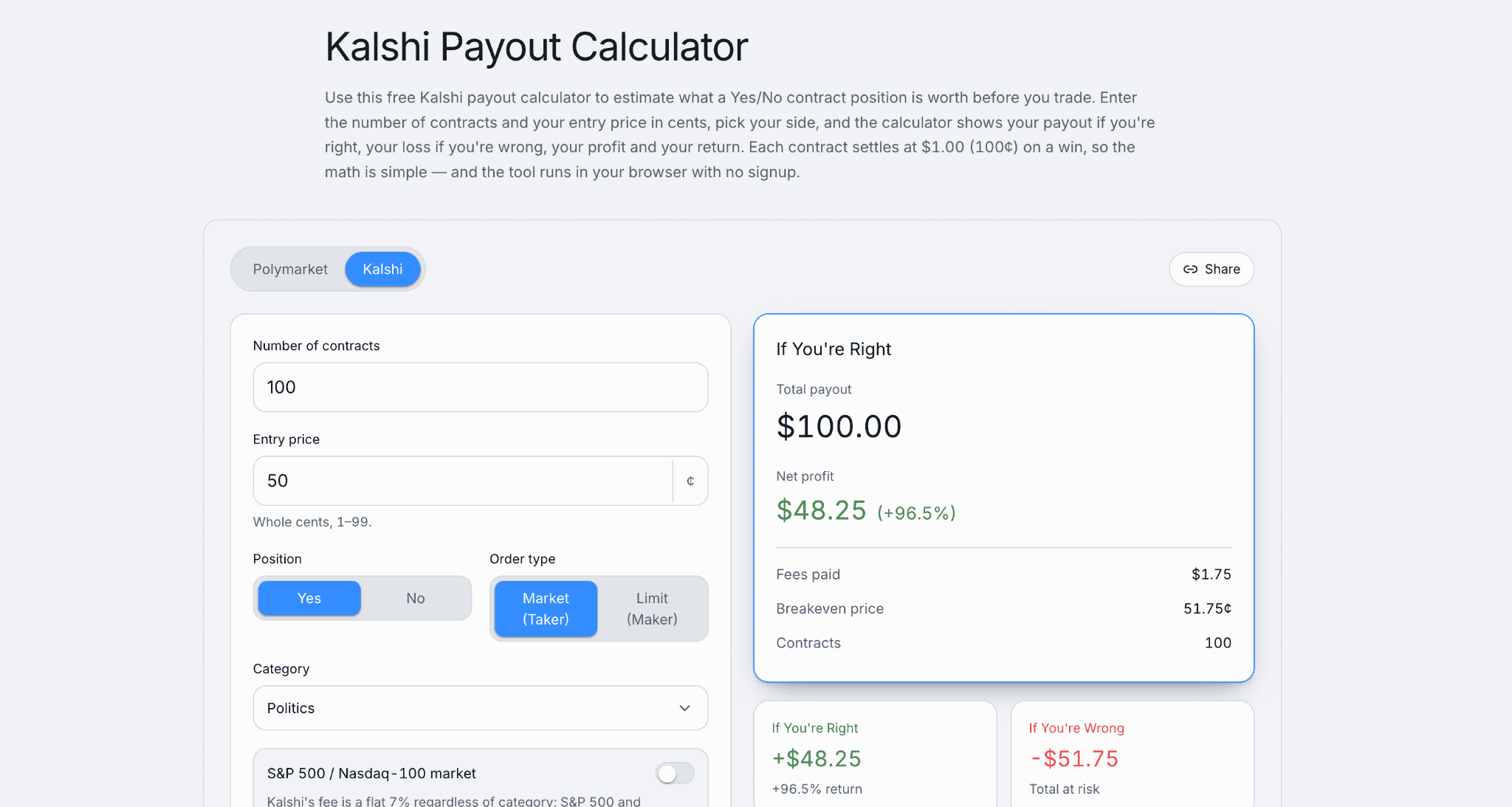
If you're already comfortable building your own tooling against Kalshi's API rather than working inside a graphical terminal at all, that's a separate path entirely, and Kalshi FIX 4.4 Protocol for Algorithmic Traders: Complete Setup Guide covers the lower-latency, institutional-style connection built for exactly that. Pro sits between the standard app and that fully custom route, more power than the retail interface, less setup than building your own connection to the exchange.Try the Kalshi Payout Calculator to estimate your returns before every trade and make more informed trading decisions.
What Kalshi Pro Doesn't Change
Worth being clear about what switching to Pro doesn't do. It's the same account, the same funds, and the same underlying contracts as the standard app, so nothing about deposits, withdrawals, or regulatory protections changes by moving over. If you're still getting oriented on Kalshi generally before deciding whether a professional terminal is even relevant to how you trade, Kalshi Review 2026: Complete Beginner's Guide is the better starting point.
The Numbers Behind the Launch
Kalshi's timing wasn't arbitrary. The company's perpetual futures product had crossed $1 billion in trading volume within its first week live, including more than $100 million in the first 24 hours alone, following the CFTC's approval of Kalshi's bitcoin perpetual contract on May 29, 2026, as compliant with the Commodity Exchange Act. Coverage of the Pro launch also cited Kalshi's annualized trading volume tripling to $178 billion, with the company pointing to increased activity from more sophisticated traders as part of the reason for building dedicated professional tooling now rather than later.
Why Kalshi Built This Now
The launch fits into a broader pattern at Kalshi over the past year: adding CFTC-regulated perpetual futures, expanding institutional clearing access, and now building out professional-grade tooling, all of it framed by the company as part of a shift from a retail prediction-market app into what it's calling a full-service financial exchange. Coverage around the launch also connected it to Kalshi's reported path toward a future IPO, positioning Pro as part of a broader institutional and professional buildout rather than a standalone feature release. If you're tracking that side of the company's trajectory, Kalshi Valuation & IPO: The Complete Timeline and What It Means for Traders covers where that process currently stands.
As of this writing, Kalshi has not said whether Kalshi Pro will eventually be monetized in some form, or whether it will remain free indefinitely the way it is during the current beta. The company also has not disclosed how many active traders have migrated to the new interface since launch.
Bottom Line
Kalshi Pro is a genuinely capable terminal for the traders it was built for, and largely unnecessary for everyone else. If you're placing the occasional trade on a market or two, the standard app still does that job with less to learn. If you're running resting orders across a dozen markets, reacting live to fast-moving events, or trading both prediction markets and perpetuals as a regular practice, Canvas and the deeper order-book visibility genuinely change how that work gets done, at no additional cost during the beta period.
FAQs
What is Kalshi Pro?
Kalshi Pro is a free, professional-grade desktop trading terminal launched by Kalshi in public beta on July 13, 2026, built for active traders who work across multiple markets, react to live events, or manage resting orders. It runs on the same account and exchange as Kalshi's standard app.
Is Kalshi Pro free?
Yes, the Kalshi pro terminal is free to use during its current public beta at pro.kalshi.com. Kalshi has not disclosed whether it will introduce monetization for Pro in the future.
Does Kalshi Pro use a different account or balance?
No. Kalshi Pro runs on the exact same account, balance, and underlying exchange as the standard Kalshi app. Switching between the two interfaces doesn't move funds, change positions, or require a separate login beyond your existing Kalshi credentials.
Can I trade perpetual futures on Kalshi Pro?
Yes. Kalshi Pro includes a dedicated Integrated Perpetuals Interface with TradingView charting, live order books, and built-in risk tools including take-profit/stop-loss orders on the chart, reduce-only orders, and margin-risk alerts, alongside its prediction market functionality.
What Kalshi pro trading terminal features set it apart from the standard app?
The main differentiators are Canvas, a saveable multi-market workspace supporting up to 12 tiles at once, the Active Markets Screener covering roughly 2,000 markets in real time, a continuous live trade tape, and professional-grade order management including inline amends and batch cancellation, none of which exist in the standard single-market Kalshi app