You want to trade on Polymarket, and creating the account is the one thing standing between you and your first Yes or No position. This takes under two minutes if you use Google or email, and there's no ID upload involved at signup. By the end of this article you'll have a working account and know exactly what to do next.
The first decision is which of the three signup methods to use. That's where we start.
What You Need Before You Start
You need one of three things: a Google account, an email address, or an existing crypto wallet like MetaMask, Rabby, or Phantom.
You don't need a bank account, a government ID, or any crypto to sign up. That comes later, at the deposit step, not here.
One thing trips people up before they even reach the sign-up button: location. Sign-up can't be completed everywhere, since access depends on where you are, so if you're unsure about your country's status, check it before you start rather than after you've entered your email.
Method 1: Sign Up With Google (Recommended)
This is the fastest method and the one most beginners should use.
- Go to Polymarket and click Sign Up.
- Select Continue with Google.
- Connect your Google account.
- Complete the sign-up process.
That's it. You'll be logged in automatically, and from now on you log back in the same way, with your Google account.
Method 2: Sign Up With Email
Use this if you'd rather not link a Google account, or don't have one.
- Click Sign Up.
- Enter your email address and click Continue.
- Enter the 6-digit code sent to your email.
- You're signed up.
You'll log in from now on using your email and a fresh 6-digit code each time. That code is the one thing to guard closely, and the next section explains why.
Method 3: Sign Up With Crypto Wallet
Use this if you already hold crypto and want to skip the proxy-wallet step entirely.
- Click Sign Up.
- Connect your crypto wallet, such as MetaMask, Rabby, or Phantom.
- Sign a message to connect your wallet to Polymarket. This doesn't cost gas, it just proves you own the wallet.
- Sign a second message to enable trading.
- You're signed up.
From now on, you log in by connecting to the same wallet.
Which Signup Method Should You Choose?
If you're new to prediction markets, Google or email is the simpler starting point, since Polymarket handles the wallet mechanics behind the scenes. If you're already comfortable managing a seed phrase, connecting your own wallet skips a step and keeps you in full custody from day one.
Can't Access Polymarket?
If the sign-up button won't complete, the most common reason is your location, not an issue with your account. Polymarket's global platform is currently unavailable in the United States and restricted in several other countries, including some in Europe, due to local gambling and financial regulations, not a technical problem on your end.
This is worth being direct about: Polymarket's own Terms of Service prohibit using a VPN to get around a geographic restriction, and doing so risks your account being pushed into close-only mode or closed outright. If you're in the US specifically, there's a separate, fully regulated Polymarket US product built on a CFTC-licensed exchange, which runs through registered futures commission merchants and does require identity verification, unlike the global platform's signup above.
If you want the full picture of which countries are open, closed, or close-only right now, our country availability guide breaks it down region by region.
What Happens After You Sign Up
Your account exists the moment you complete one of the three methods above, but it's empty. Two things typically follow:
- You set up two-factor authentication. This is optional but genuinely worth doing before you fund anything, since it's the difference between one point of failure and two.
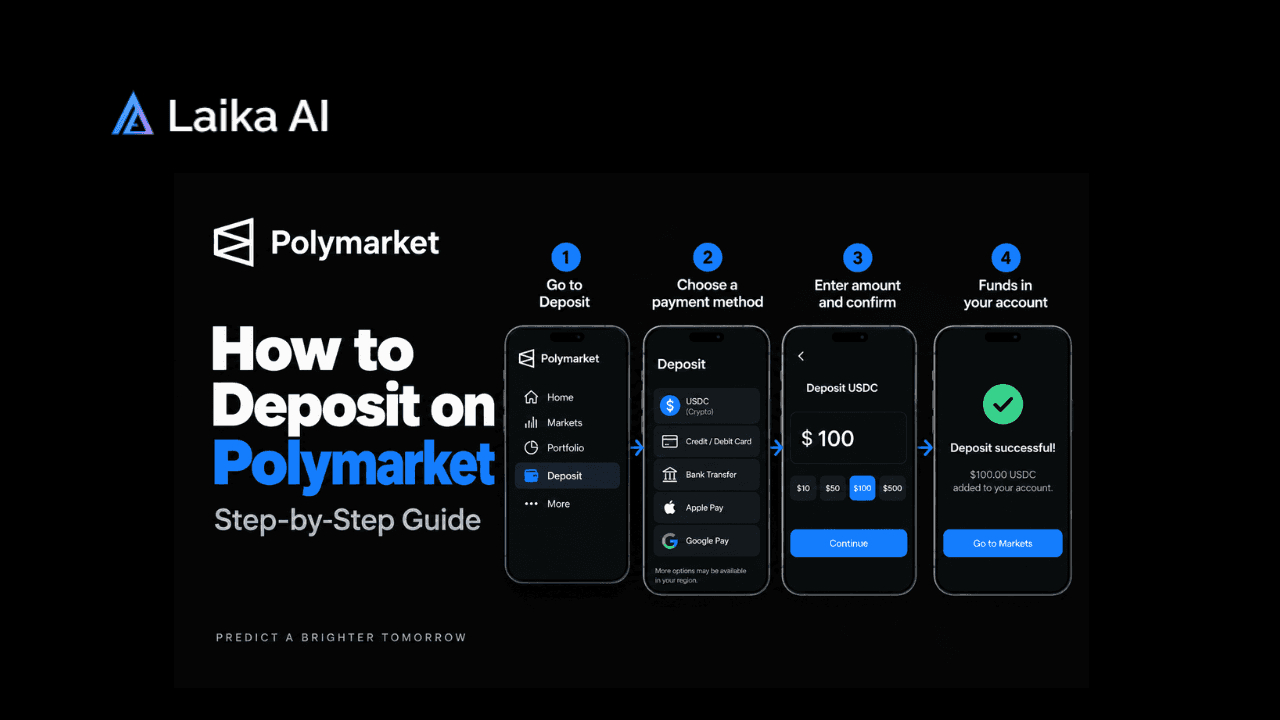
- You make your first deposit. Nothing above is required: money or ID. That step comes next, and it's where verification requirements, if any apply to you, would show up.
You'll know signup worked when you can see your account name or connected wallet address in the top right corner of the site, and the Sign Up button has been replaced by a Deposit button.
Key Things to Know
A few things matter more after signup than during it.
- Never share your 6-digit login code, not even with someone claiming to be Polymarket staff. If someone gains access to your code, they can access your account and funds, and Polymarket support cannot recover losses caused by a shared code. This is the single most common way accounts get drained, and it isn't a hack, it's a scam.
- Recovery depends on your method. Lose access to your Google account, your email, or your wallet's seed phrase, and you lose access to Polymarket the same way. There's no separate Polymarket password to fall back on.
- Watching the market before you trade helps more than most guides admit. If you want to see where the volume and price movement actually is before committing money, live coverage of markets like the Epstein files release or the California wealth tax vote shows how fast Polymarket prices move once real news lands.
Once your account is live and funded, most beginners' next questions are about placing that first trade and understanding what moves the price, which is a separate walkthrough from the signup itself.
Frequently Asked Questions
Do I need to verify my identity (KYC) to sign up for Polymarket?
No. Creating a Polymarket account through Google, email, or a crypto wallet requires no ID, no selfie, and no waiting period. Identity verification only enters the picture on Polymarket's separate, regulated US product, which is a different platform from the one this guide covers.
Which signup method is fastest?
Google is the fastest, since it's a single continue-and-connect flow. Email takes one extra step to enter the 6-digit code sent to your inbox. Connecting an existing crypto wallet takes about the same time as email if you already have the wallet installed.
What if I lose access to my email or Google account?
Your Polymarket account recovery is tied directly to whichever method you signed up with. Losing your email, your Google account, or your wallet's seed phrase means losing the way back into your Polymarket account, so treat that recovery method with the same care you'd give a bank login.
Can I sign up for Polymarket in the United States?
Not on the global platform, which currently blocks US access. A separate, CFTC-regulated Polymarket US product exists and does allow US residents to trade, but it requires identity verification and runs through registered futures commission merchants rather than the wallet-based signup covered in this guide.
Can I change my signup method later?
Polymarket doesn't offer a built-in way to switch your primary login method after the fact. If you signed up with email and later want wallet-based custody, the more common path is exporting your key rather than starting a second account, since running two accounts under one identity can trigger the platform's compliance checks.